Playback Implementations
Example script (scamp): examples/Tutorial/19_playback_implementations.py
Download: 19_playback_implementations.py
Shows how to create parts that use different implementations for playback. This assumes that you are connecting to a midi device on port zero.
Topics: Playback › Playback implementations
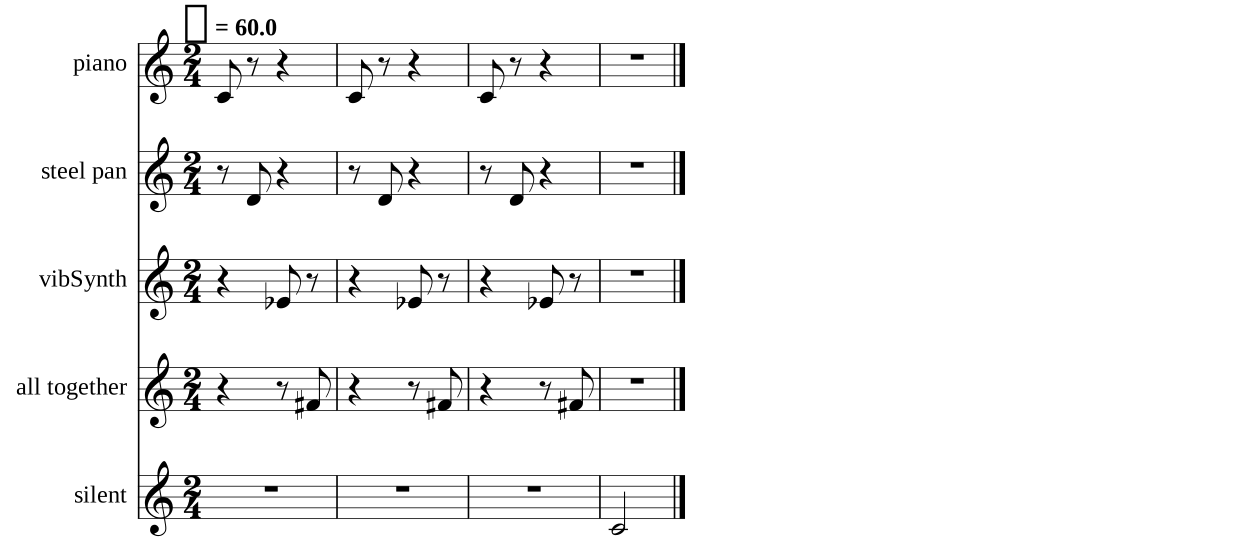
from scamp import *

s = Session()

# Calling "new_part" results in a default SoundfontPlaybackImplementation
# (which automatically searches for a matching preset in the default bundled soundfont)
piano = s.new_part("piano")

# Calling "new_midi_part" gives the instrument a MIDIStreamPlaybackImplementation
# in this case, sending a midi stream to an external steel pan VST instrument
# ("Midi through" is a linux-specific virtual midi cable; use IAC on a mac,
# and download loopmidi or similar on windows)
steel_pan = s.new_midi_part("steel pan", "Midi through Port 0")
# Use this line to probe for available midi output devices:
# print_available_midi_output_devices()

# Calling "new_osc_part" gives the instrument an OSCPlaybackImplementation
# This one is set up to communicate with the supercollider instrument in the osc_to_supercollider example
synth = s.new_osc_part("vibSynth", port=57120, ip_address="127.0.0.1")

# You can add multiple PlaybackImplementations to the same part like this
all_at_once = s.new_part("all together", preset="piano") \
               .add_streaming_midi_playback("Midi through Port 0") \
               .add_osc_playback(port=57120, ip_address="127.0.0.1",
                                 message_prefix="vibSynth")

# Calling "new_silent_part" results in an instrument with no PlaybackImplementation
silent = s.new_silent_part("silent")

s.start_transcribing()

for _ in range(3):
    piano.play_note(60, 1, 0.5)
    steel_pan.play_note(62, 1, 0.5)
    synth.play_note(63, 1, 0.5)
    all_at_once.play_note(66, 1, 0.5)

silent.play_note(60, 1, 2)

s.stop_transcribing().to_score(time_signature="2/4").show()