Easy Setup for New Python Users
If you’re new to Python, the instructions below will help you get set up with SCAMP running in a simple Python editor called Thonny.
Step 1: Install Thonny
You can download and install the latest version of Thonny from the Thonny website.
Note
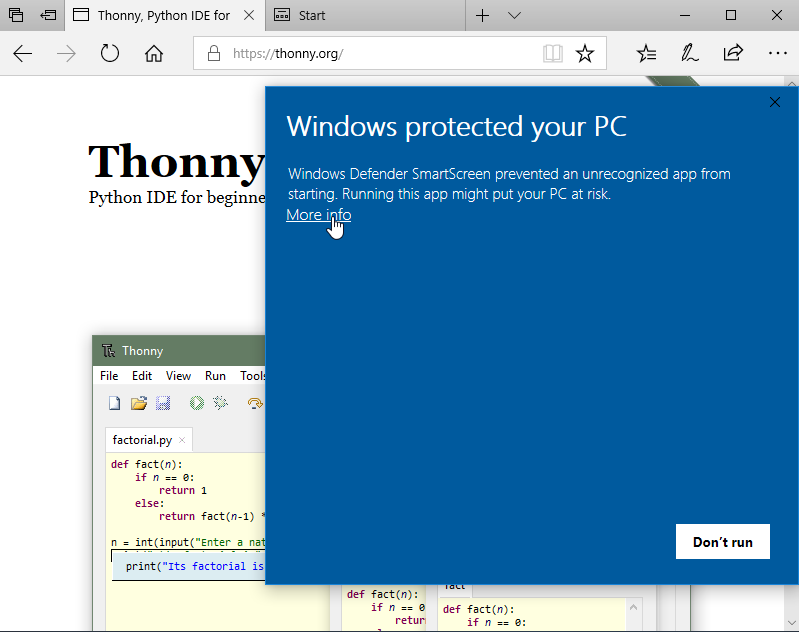
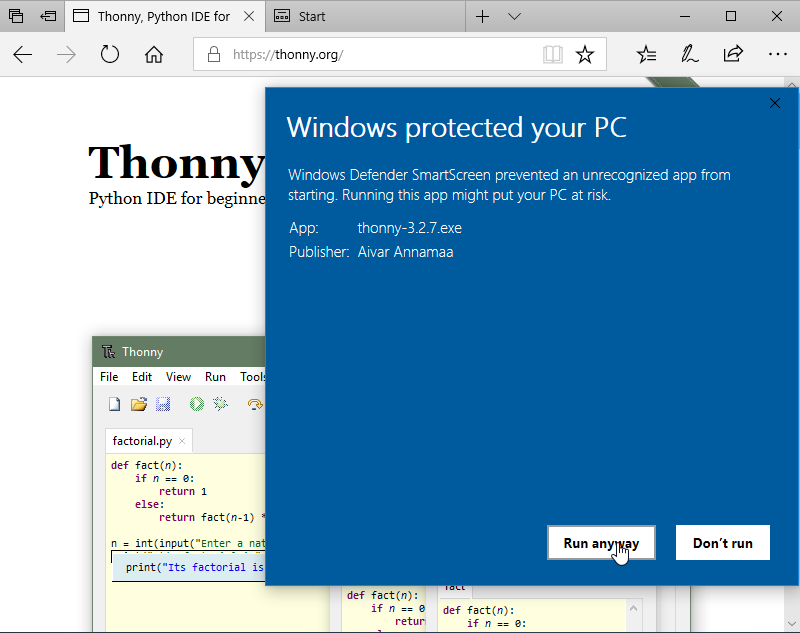
On Windows, you may run into an issue with Windows Defender not trusting the installer; just click “More info” and “Run anyway”:
|
|
Step 2: Install SCAMP and its dependencies
Open up Thonny, and go to Tools > Manage Packages in the menu. You should be presented with a window that looks like this:
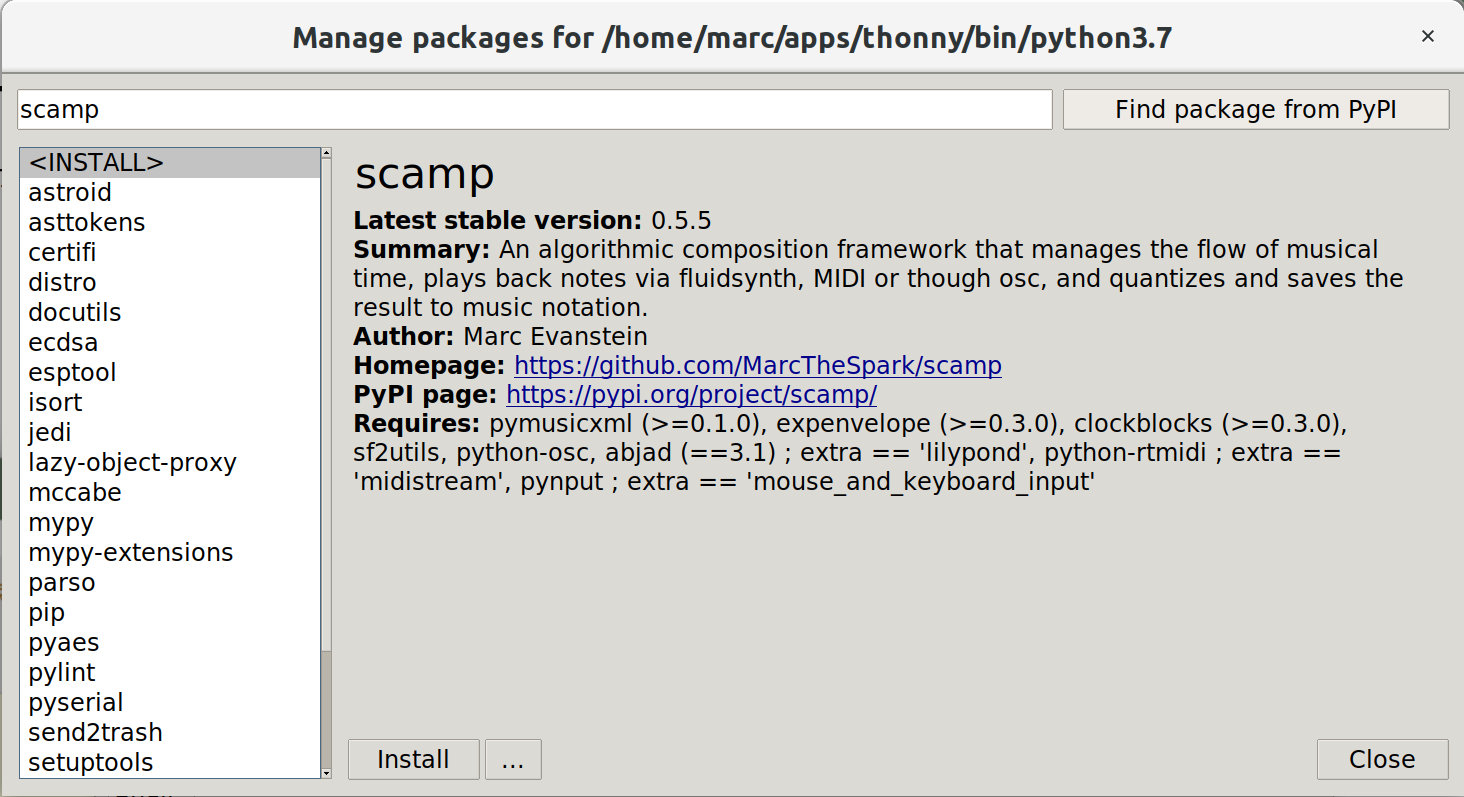
Installing the scamp package using the Thonny package manager.
Type “scamp” into the textbox and click “Find package from PyPI”. PyPI is an online repository of Python libraries from which SCAMP can be downloaded and installed. Click the “Install” button.
Having done that, in order to get the full functionality that SCAMP has to offer, you will want to use the same method to search for and install the following:
python-rtmidi(offers the ability to stream MIDI to an external synthesizer or application)pynput(offers responsiveness to mouse and keyboard events)scamp_extensions(offers a range of useful extensions, like scales and other musical constructs)abjad(generate PDFs of music notation using LilyPond — see screenshots below)
Note
On Linux, in order to install python-rtmidi you may have to first install the Python development headers.
On Debian-based distros, simply run sudo apt install python3-dev from a terminal.
Important
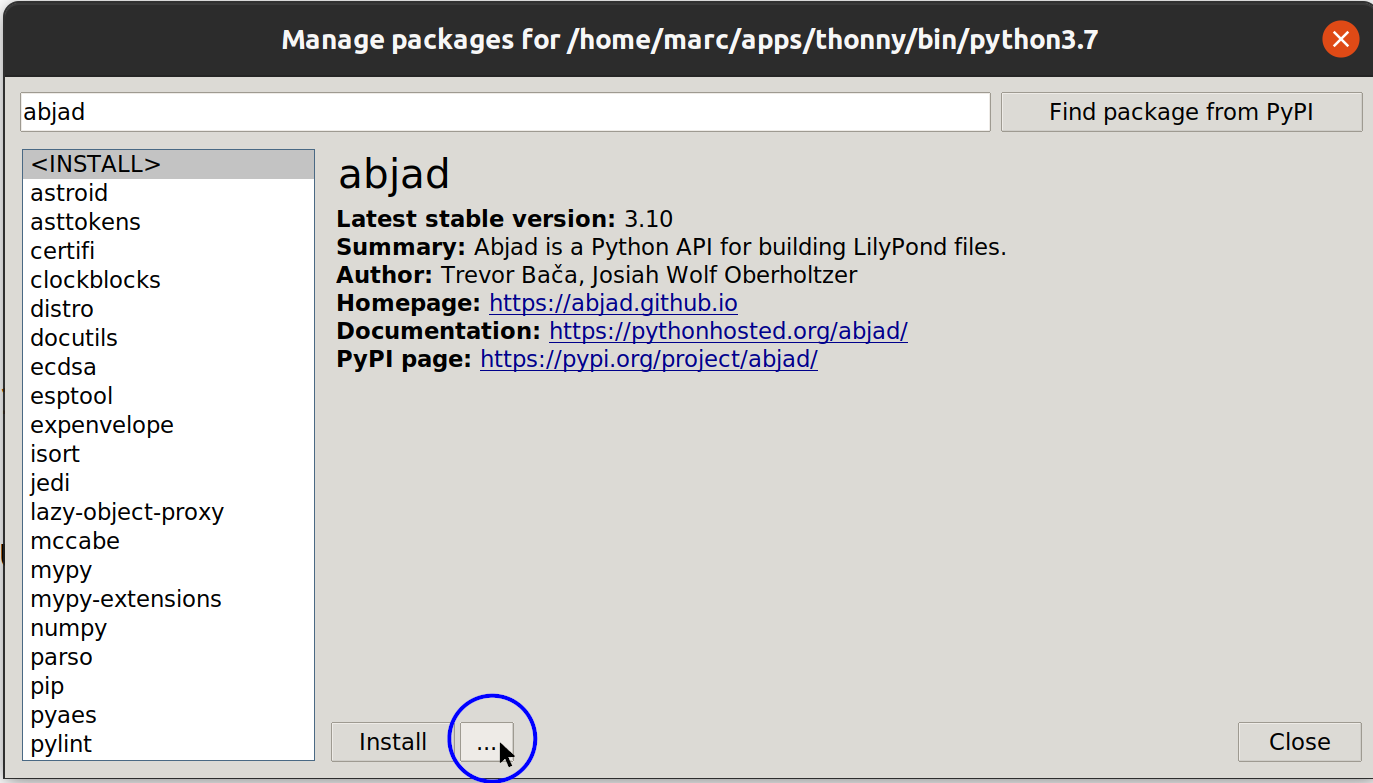
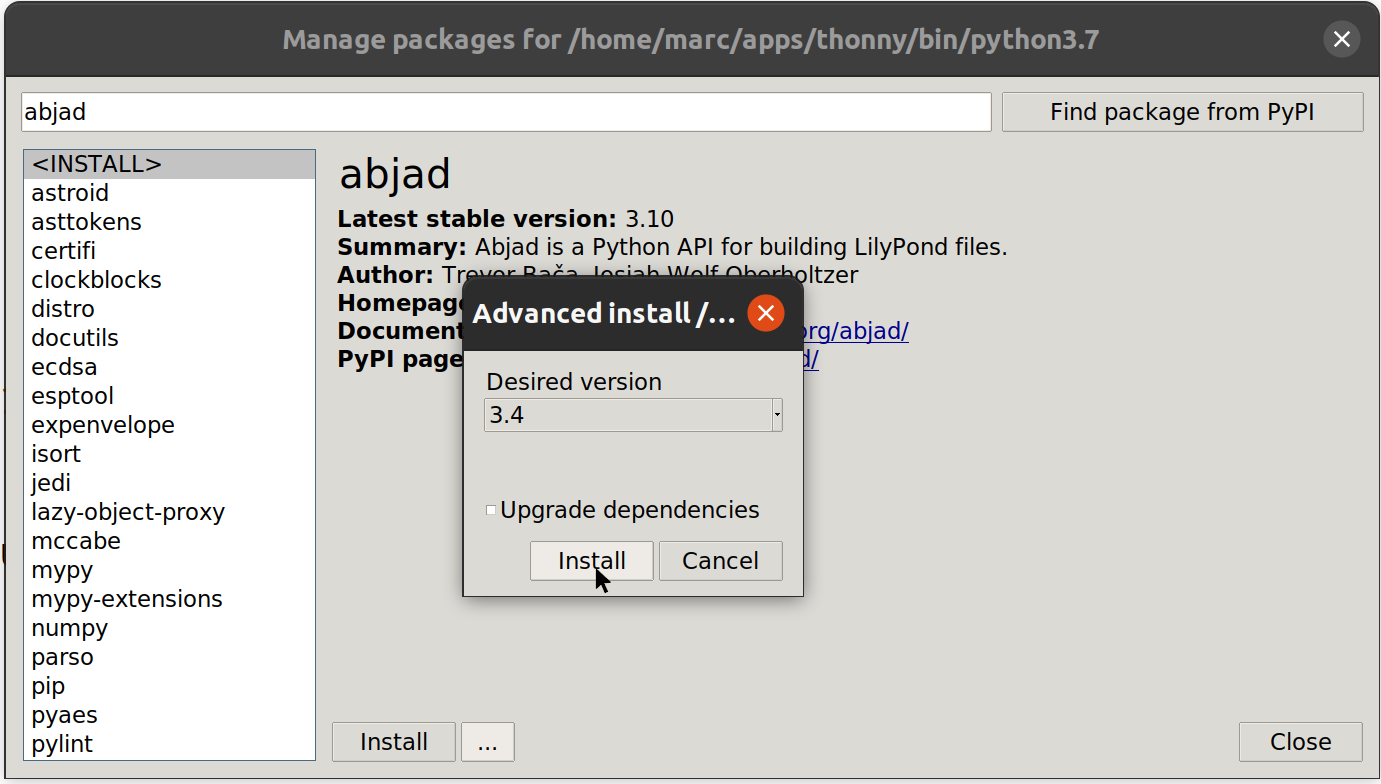
SCAMP is pinned to a specific version of abjad (currently 3.31), and newer releases
sometimes break compatibility. By default Thonny installs the latest version, so you’ll
likely need to choose the matching version manually: in the package window, click the
menu next to “Install” to reveal the alternate-version option (left), then pick the
version SCAMP expects from the dropdown (right).
|
|
Step 3: Install LilyPond
LilyPond is a program for engraving music notation that SCAMP uses to generate PDFs of the music you create.
On Linux, the easiest thing is to install LilyPond via your package manager. On Windows, you can
download it from here and place it in the Program Files folder
(e.g. C:\Program Files (x86)). On a Mac, you have a couple of options — read on.
When you first try to generate a LilyPond score using SCAMP, SCAMP will search for LilyPond and post a message informing you that it (hopefully) found it.
On a Mac: Homebrew (recommended)
The smoothest path on macOS is to install LilyPond through Homebrew. Homebrew is a
free package manager for the Mac. Setting it up takes a few extra minutes the first time — install it
via the script on the website, then run brew install lilypond from a terminal — but Homebrew is genuinely
useful for installing all sorts of other developer software down the road, so it’s a good investment.
Going this route, the LilyPond binary will be pre-approved as far as your Mac is concerned, sidestepping the irritating sequence described below.
On a Mac: Manual download
If you’d rather not install Homebrew, you can download LilyPond directly. After unzipping, place it in the Applications folder so that SCAMP can find it.
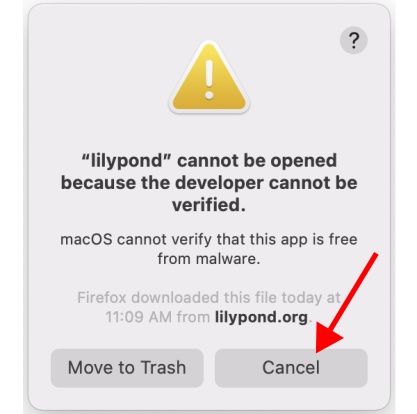
When you first try to generate notation using LilyPond, you will likely see a dialog come up saying that LilyPond cannot be opened because it’s from an unidentified developer (first image below). You have two options to get past this:
Option 1 — one terminal command. Open Terminal and run:
find /Applications -maxdepth 2 -iname "lilypond*" -exec sudo xattr -dr com.apple.quarantine {} +
This locates whatever LilyPond-named folder you dropped into /Applications (the tarball
currently unpacks to something like lilypond-2.26.0, and the casing/version may shift over time)
and strips the “downloaded from the internet” flag that triggers Gatekeeper. You’ll be prompted for
your password. After it finishes, you’re done.
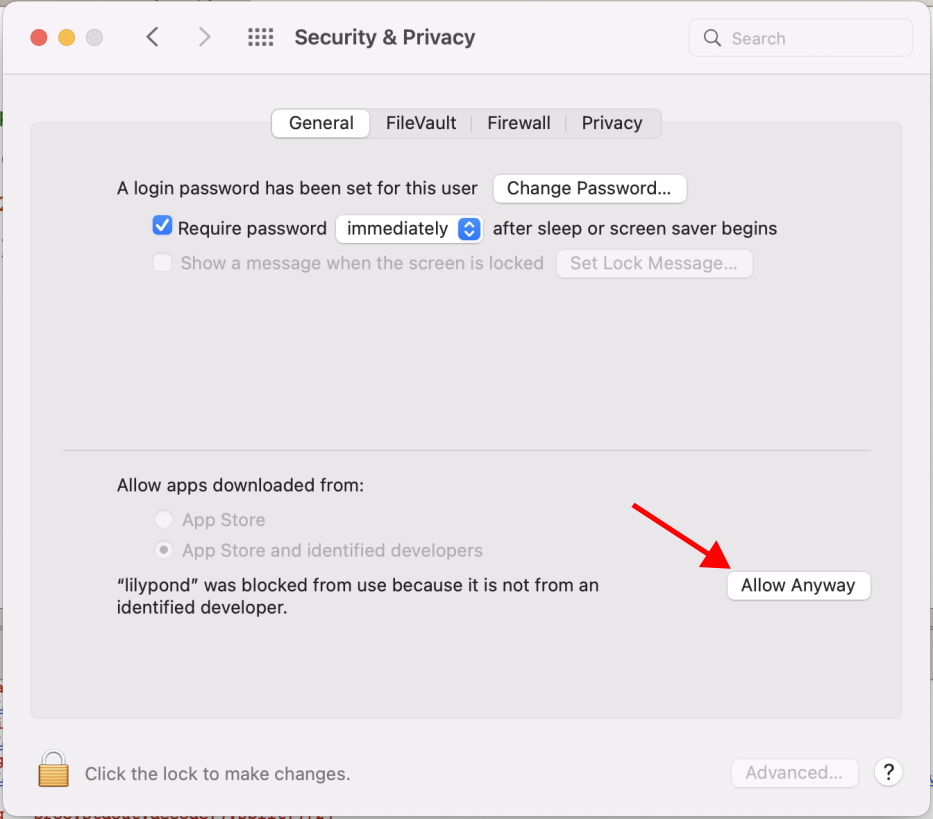
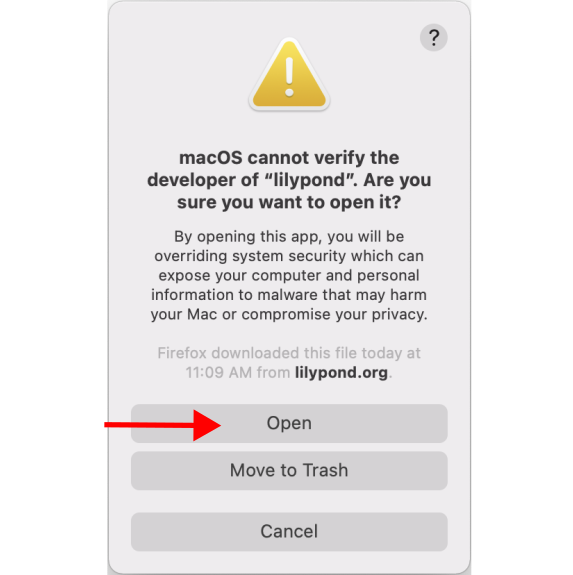
Option 2 — click through the security dialogs. Click “cancel” on the first dialog, and then open up your security and privacy settings (second image). You should see an option to “allow” lilypond to run. Then, the next time you try to generate notation using LilyPond, you should get a different dialog with the option of opening it (third image).
|
|
|
You will then probably have to follow this sequence one more time for a program called gs, which LilyPond depends on.
Note that this whole irritating sequence is Apple’s fault: in order to become an “identified developer” you have no choice but to pay Apple money, and the developers of LilyPond are volunteers who understandably don’t want to pay Apple to offer you free software.
Testing it Out
To test if everything is working correctly, open up Thonny, and save and run (by pressing the green arrow) the following script:
from scamp import test_run, print_dependency_status

print_dependency_status()
test_run.play(show_lilypond=True)
If you hear a piano gesture sweeping inward towards middle C, and then see a PDF pop up with the music, then the setup process has been successful!
In addition, print_dependency_status() prints a table summarizing which optional dependencies SCAMP has found in
your environment — FluidSynth (the bundled audio synth), python-rtmidi, pynput, abjad, and so on — along with a brief
note about what each one is for. A ✓ means the feature is ready to use; ✗ means it’s not installed (so the
corresponding feature won’t work); ~ means it’s installed but in a version SCAMP hasn’t been tested against.
This is the quickest way to diagnose “why doesn’t X work for me?” later on.